
What VINELink Covers in Jefferson County
Colorado VINE / VINELink provides custody-status and criminal-case information plus release and custody-change notifications where participating agencies feed data. Jefferson County jail information links to VINELink and says registered victims are notified of an inmate's release through Colorado VINE.
The system should be framed as a notification and custody-status channel. It does not replace the Jefferson County Sheriff's Office Records Unit, and it does not create a public 24-hour or 72-hour release feed. It also does not cover federal BOP custody at FCI Englewood. Federal release checks belong in the BOP Inmate Locator.
Colorado VINE is especially useful when a person may move before a formal record request can be returned. It can alert a registered user to a release, transfer, or custody change, depending on the agency feed and the live options. The alert then points the user back to the agency that owns the record: Jeffco Records for jail release documents, CDOC for state custody or parole status, and the court for the order or case event.
How to Search an Inmate on VINELink
The VINE workflow is a one-person search. It is not a browse list of everyone who left the Jefferson County Detention Facility.
- Open the Colorado VINELink state page.
- Search for the person using the person or case controls shown in the current interface.
- Use full name, date of birth, booking details, case information, or other identifiers when available to avoid a false match.
- Open the matching result and read custody status, agency, and notification options.
- If the result indicates release, treat it as a custody-notification result and verify through sheriff Records or court records when formal proof is needed.
For a broader release search across jail, court, CDOC, BOP, and ICE, use the Jefferson County released inmates workflow.
If multiple people have similar names, pause before registering for an alert. Compare agency, age or date-of-birth details where shown, case context, and any ID number available in the live result. A false match can send notices for the wrong person, and VINE should not be treated as identity proof.
What VINELink Shows About Release
The exact released-result label should be checked in the live VINELink interface because the site is dynamic. Conservative Jefferson County copy should describe the types of information VINE supports without promising that every released person remains searchable for a fixed period.
| VINELink item | How to use it |
|---|---|
| Person or case result | Compare identifiers before relying on the match. |
| Custody status | Shows the custody status currently available through VINE feeds. |
| Agency or location | Helps separate Jefferson County jail, CDOC, and other participating systems. |
| Notification options | Shows whether phone, email, text, or another method is offered in the live workflow. |
| Release or custody-change notice | Useful for alerts, but formal records still come from the originating agency. |
VINELink result wording can change as the service updates its interface. For Jefferson County pages, the safest approach is to tell users what to inspect rather than quote a fixed label: custody status, agency, case link if shown, notification controls, and whether the record points to release or another custody change.
Register for Jefferson County Release Alerts
VINELink registration is designed for notification. The available methods may change in the live interface, so the safest wording is to follow the options shown on the matching inmate or case result.
- Open the matching inmate or case result.
- Select the notification or registration option.
- Choose the offered method, such as phone, email, or text when available.
- Enter contact details carefully.
- Complete any confirmation or PIN step shown by VINELink.
- Save the alert information and remember that VINE is not a records custodian.
Keep the confirmation step. VINELink workflows often use a PIN or confirmation process so the system can send notices correctly and protect the registration. If the alert is for a county jail release, still keep the jail information phone and Records Unit path available because release timing can change after a notification is created.
VINELink vs Jeffco Lookup
The sheriff lookup and VINELink answer different questions. The sheriff lookup is the first public check for current custody at the Jefferson County Detention Facility. VINELink is the alert and custody-change layer. Records is the formal document path, and court records explain the legal event that caused release.
| Source | Best use | Limit |
|---|---|---|
| Jeffco inmate lookup | Current county custody search updated every 15 minutes. | Former inmate information goes to Records. |
| Colorado VINE | Custody-change and release alerts for participating agencies. | Dynamic alerts are not the official jail release record. |
| CDOC offender search | State prison, parole, and discharge locator. | Not a county-only jail release list. |
| Jefferson County Records | Booking and release records from the jail. | Requires a request when the record is not online. |
This split is important because Jefferson County has no official short-window release feed. VINELink can help with a custody-change notice, but the sheriff's records custodian is still the source for a release record after the person drops off the current-custody lookup.
VINELink Limits for Jeffco Releases
VINELink may lag behind the source agency. It may also show only the custody or case information that participating agencies provide. It does not cover BOP inmates, so a person released from FCI Englewood should be checked through the BOP locator. It also should not be treated as proof that a county release record exists in a particular form.
When timing matters, use the jail information phone at (303) 271-5444. When documentation matters, use the Records Unit at (303) 271-5542 or records@jeffco.us. When the release follows a court order, check Jefferson Combined Court records.
If the person was moved into CDOC, switch to the CDOC offender search and read the state record for parole, release, discharge, or supervision information. If the person was in federal custody at FCI Englewood, VINE is not the controlling source. The BOP locator explains federal release status and past release dates.
VINE also should not be used to infer a juvenile release path. Lookout Mountain Youth Services Center is a secure youth facility in Golden, and Jefferson County's adult jail lookup excludes people under 18. Youth records are restricted, so public adult release-alert workflows should not be applied to those records unless an authorized court or agency channel allows it.
For a recent county jail release, keep all three references together: the VINE notice, the Jeffco lookup result, and the court or Records confirmation. Those sources answer different parts of the same event.
Colorado VINELink Entry Point
The matching source for this workflow is the Colorado VINELink state page.
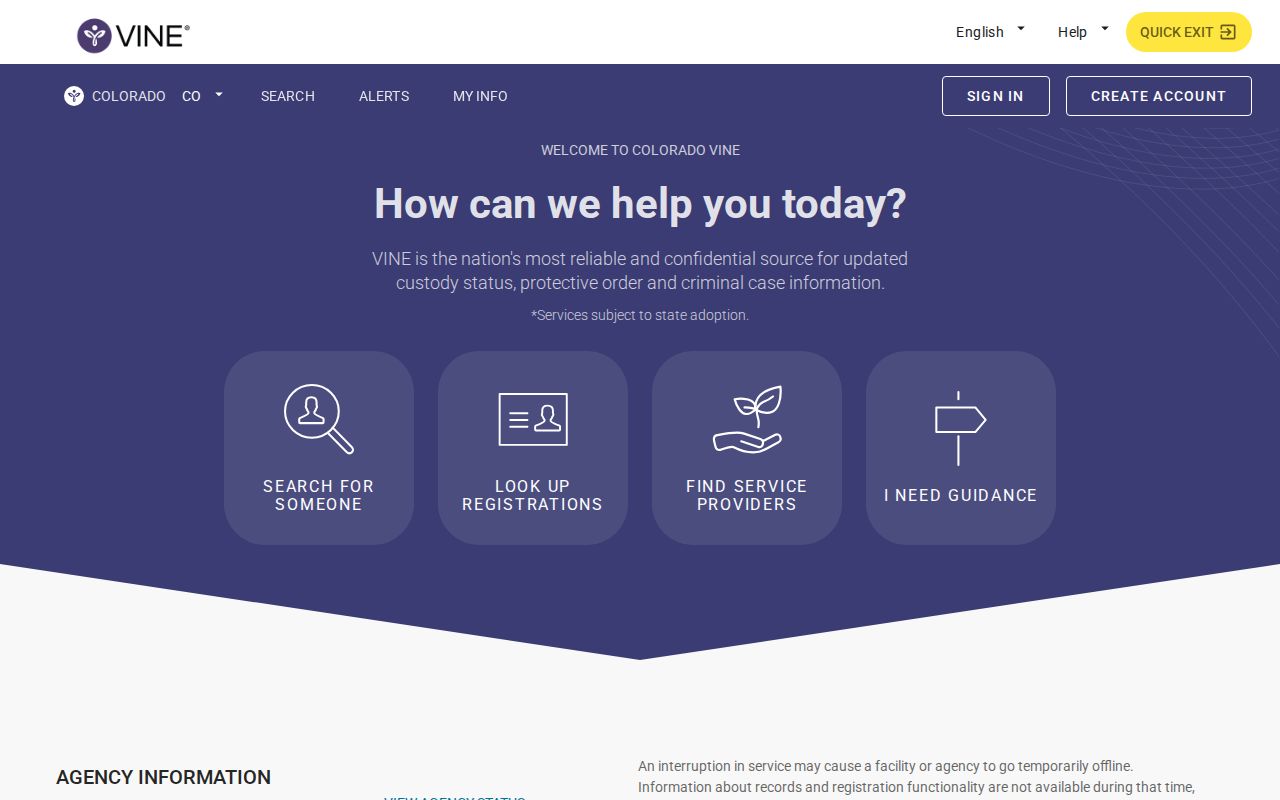
The page is the state-level entry point for searching a specific person and starting a notification registration.
Public Record Search
Sponsored Results